Page 3 of 3
Re: ledc example does not work at all
Posted: Wed Mar 01, 2017 9:03 am
by rudi ;-)
first part of code
Menuconfig ESP32 specific: 80 MHz
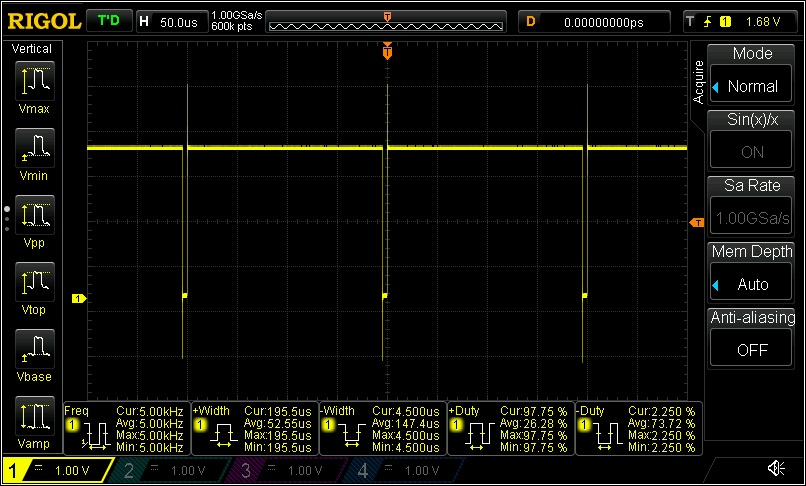
- pwm_test_detailed_1v_first_part_code_-8000-_menuconfig_80MHz.jpg (131.34 KiB) Viewed 6778 times
second part of code
Menuconfig ESP32 specific: 80 MHz
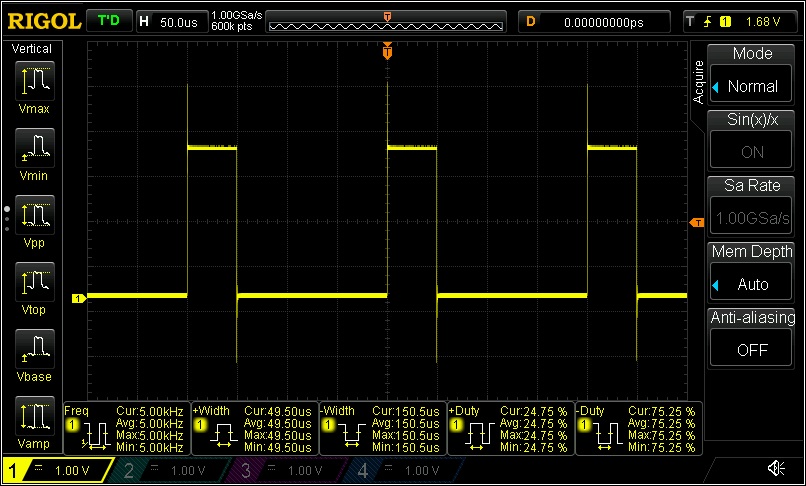
- pwm_test_detailed_1v_second_part_code_-2047-_menuconfig_80MHz.jpg (131.07 KiB) Viewed 6778 times
hope this helps
best wishes
rudi

Re: ledc example does not work at all
Posted: Thu Mar 02, 2017 2:17 am
by murray_lang
OK, so what I can gather is that the "CPU frequency" setting in menuconfig actually changes the clock speed of the CPU by selecting multipliers/dividers applied to the 40MHz crystal input. I initially though that it was something that needed to be configured based on the speed set by some other method.
I also gather that this setting is used to adjust the internal mathematics in the firmware to keep timings more or less calibrated.
At 240MHz, neither my Nano32 or WROOM-32 will produce a PWM signal. At 160MHz both will produce a PWM signal.
Is the problem with my modules or with the firmware? We have seen here that some modules work at 240MHz, but I am confident that I am not the only person to buy a Nano32 from a particular batch, nor a WROOM-32 from another particular batch. The fact that modules from two manufacturers exhibit the problem suggests to me that there is a significant number of ESP32 modules out there that will not produce PWM at the default frequency setting.
Who's problem is it?
Murray
Re: ledc example does not work at all
Posted: Thu Mar 02, 2017 2:28 am
by murray_lang
Ahhh! It must be my amateur prototype circuit wiring. Negligent absence of bypassing. Ground bounce etc.

Issue closed, I think.
Murray
Re: ledc example does not work at all
Posted: Sat Apr 11, 2020 7:02 pm
by svenbieg
The sample does work on pin 4 but not my application, maybe because i have WiFi enabled.
Following pins do work: 5, 17, 18, 19, 21, 22, 25, 26.