Page 1 of 1

ESP Debug VSCode Extension

Posted: Tue Jun 24, 2025 9:44 am
by ElectricThanhTung
Hi everyone,
I’m excited to share my project, ESP Debug, a VSCode extension to debug ESP32 via COM ports. It’s designed to simplify the debugging process and make it more accessible for developers working with ESP32 devices.
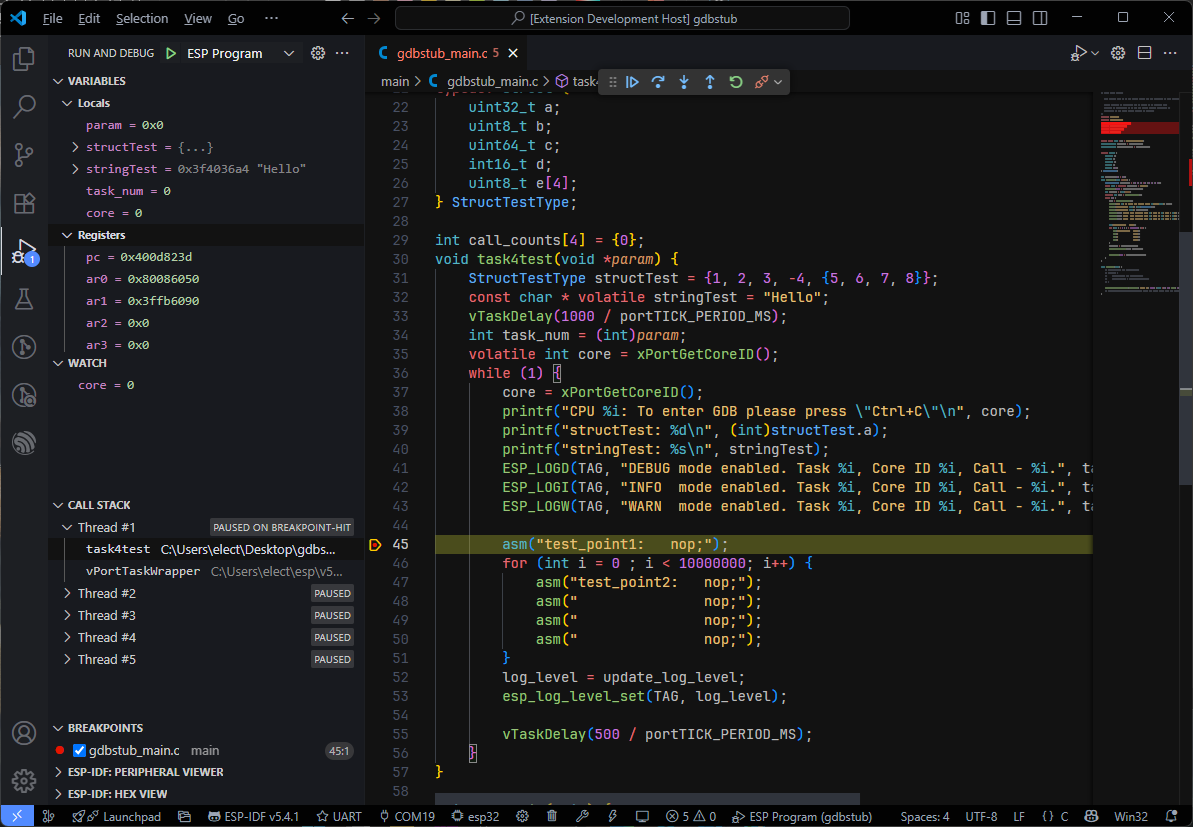
Image

Features:
  • Works with ESP-IDF's built-in GDB Stub.
  • COM Port Communication: Just connect the built-in COM port on ESP32 board to debug.
  • Basic debugging features:
    • Pause, Continue, Stop, Restart, Step Over, Step Into, Step Out.
    • Stack trace for each thread.
    • Set and remove breakpoints.
    • View local variables, CPU registers and evaluate expressions.
    • Show messages logged from target.
How to Use:
  1. Check out the project on GitHub: ESP-Debug Repository.
  2. Install the extension from the VSCode marketplace: ESP-Debug Extension.
  3. Follow the setup guide, and start debugging your ESP32 with ease!
It’s open-source, so feel free to contribute or leave feedback. Let me know what you think!

Re: ESP Debug VSCode Extension

Posted: Tue Jul 01, 2025 7:13 am
by kondalkolipaka
Hello,

Thank you for your contribution to the ESP community - it’s truly appreciated!

I was quickly trying to run it on my macOS and realized it’s currently only available for Windows.

If you would like to make this platform-agnostic, work in sync with the selected ESP-IDF version and tools configured in workspace, and align with the UI controls from the ESP-IDF extension, feel free to contribute directly to our ESP-IDF VS Code extension and help maintain it.

Thanks!

Re: ESP Debug VSCode Extension

Posted: Tue Jul 01, 2025 7:36 am
by DrMickeyLauer
Yeah, would be nice to have it for Linux as well. I‘m not a fan of the openocd+gdb+debug adapter combination. It often doesn’t work. Something more direct with less layers that can break would be much appreciated.

Re: ESP Debug VSCode Extension

Posted: Wed Jul 02, 2025 4:44 pm
by ElectricThanhTung
Hello.
The extension has been updated to V1.1.0 and now it supports Linux (x86/x64 only). MacOS is not officially supported yet because I don't have a MacOS computer available but I added a gdbPath parameter to support specifying the path to GDB and you can use it in case your system is not officially supported yet.