vs code with esp-idf extension: no framework found
Posted: Fri Aug 08, 2025 8:11 am
Good morning:
I am trying to develop a usbtmc (a test and measurement class usb). And right now I am using the VS code and the ESP_IDF extension. I installed the the extension and I am trying to execute a "hello world" program. Once I am able to execute a basic "hello world" application firmware I will develop the usbtmc itself. Let's begin.

The first step is that I do is to "Configure ESP_IDF Extension". I can see that the ESP_IDF is being downloaded and configured. I waited until it is done. I follow the instructions.
I choose the EXPRESS option.
Then I choose Find the esp-idf.
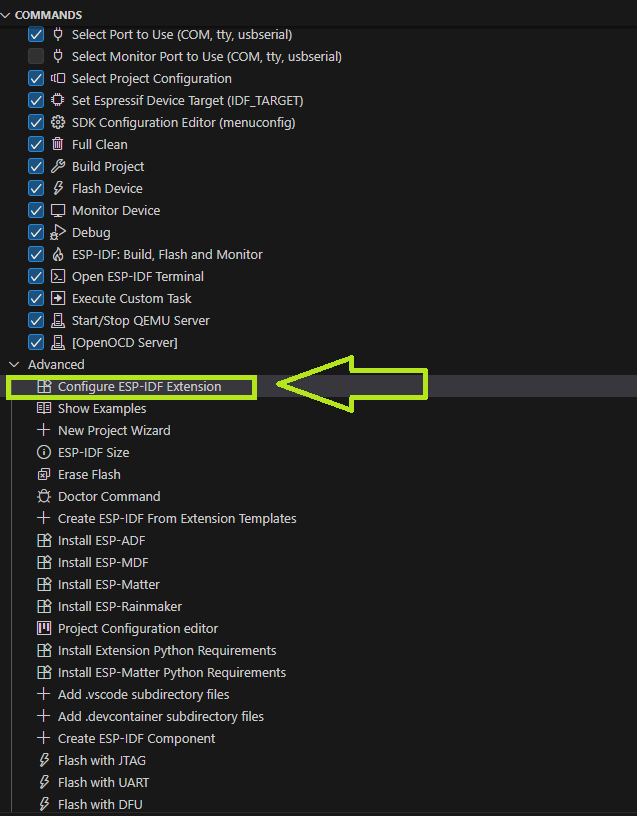
The next step is to create a project -a very simple one-. I clicked the "New Project Wizard".
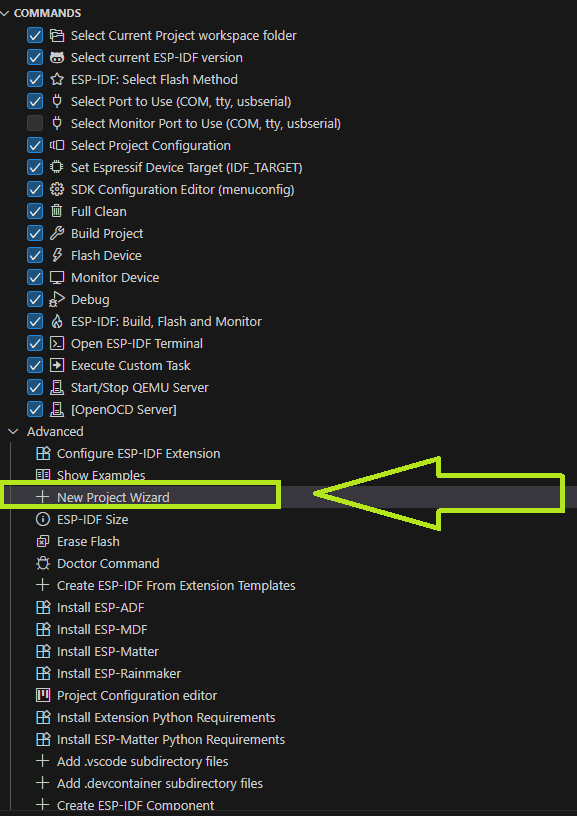
However, there is something missing... how can this be? Wasn't the ESP-IDF already installed?

What course of action do you recommend me? Should I install the esp-idf from the https://dl.espressif.com/dl/esp-idf/ website and then press the button "Configure ESP_IDF Extension"
Thanks for all. Sorry for the trouble.
I am trying to develop a usbtmc (a test and measurement class usb). And right now I am using the VS code and the ESP_IDF extension. I installed the the extension and I am trying to execute a "hello world" program. Once I am able to execute a basic "hello world" application firmware I will develop the usbtmc itself. Let's begin.
The first step is that I do is to "Configure ESP_IDF Extension". I can see that the ESP_IDF is being downloaded and configured. I waited until it is done. I follow the instructions.
I choose the EXPRESS option.
Then I choose Find the esp-idf.
The next step is to create a project -a very simple one-. I clicked the "New Project Wizard".
However, there is something missing... how can this be? Wasn't the ESP-IDF already installed?
What course of action do you recommend me? Should I install the esp-idf from the https://dl.espressif.com/dl/esp-idf/ website and then press the button "Configure ESP_IDF Extension"
Thanks for all. Sorry for the trouble.