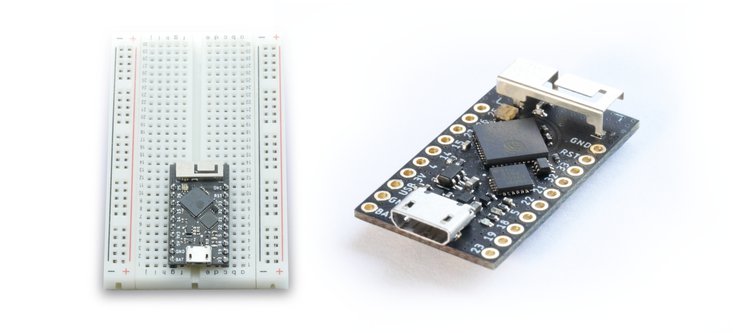
Hi Everyone,
I just got back from Shenzhen on Sunday with my rev5 PCBs in hand, so I built one and TADA! PSRAM working like a champ!
I'm so glad I got past this little hurdle, and wanted to thank everyone here for your help and support on this Tiny journey

rudi made an image from my LiveStream yesterday where I was showing it off... thanks rudi
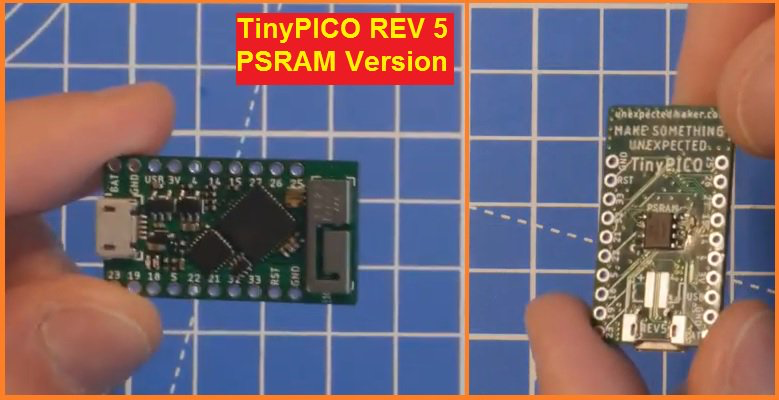
I've just sent off a rev6 PCB for manufacturing with 2 final little tweaks, and then TinyPICO is done and I start the journey of "how am I going to manufacture them"
Hello Seonroz, my name is jiy, I am from Shenzhen.
I encountered the same problem a week ago and I tried to add the SPI RAM chip to the ESP32-PICO-D4, but it never worked.
I connected the SPI RAM according to the schematic in Espressif's ESP32-PICO-D4 specification, but when I ran the program, I found that the memory test failed.
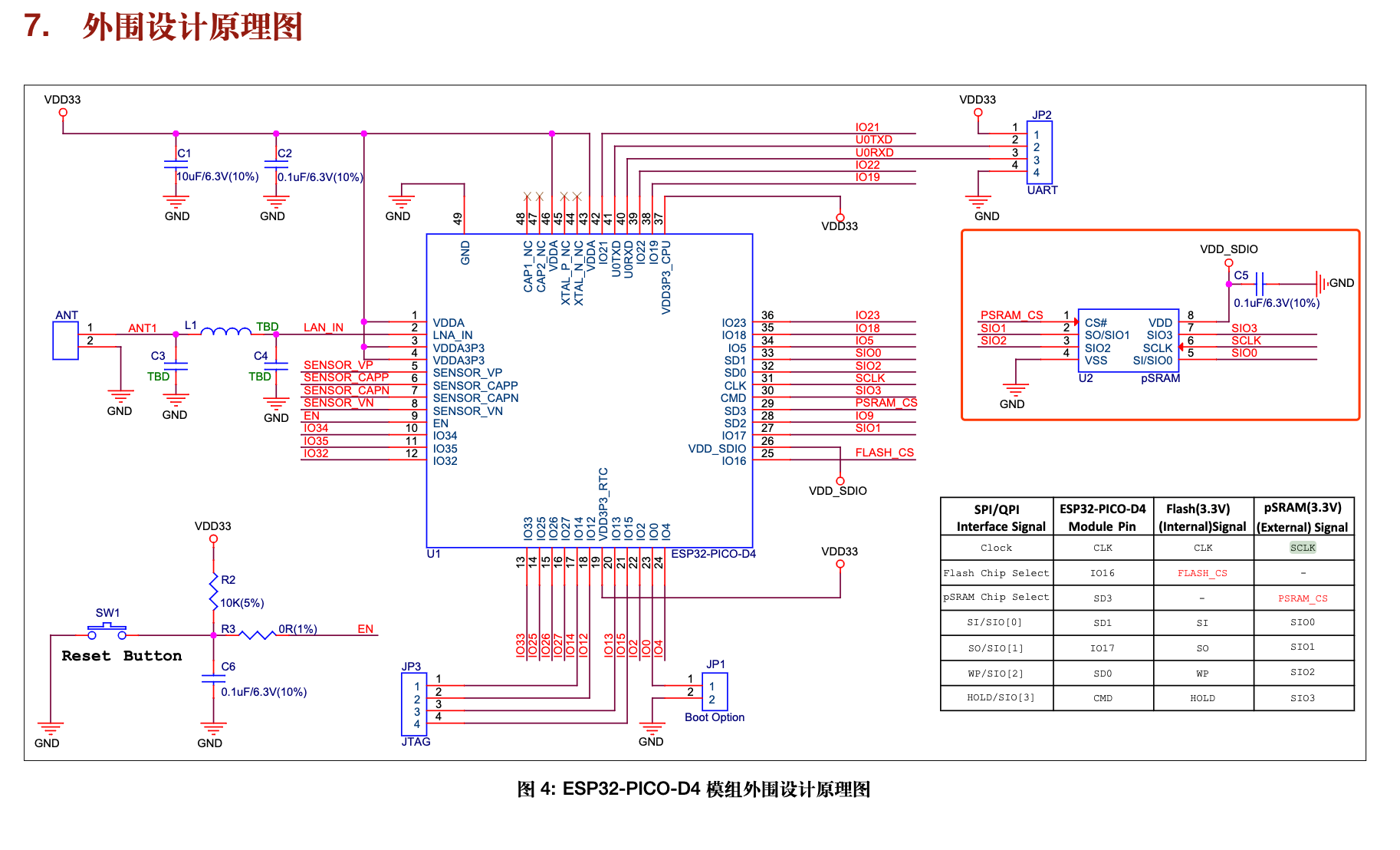
- ESP32-PICO-D4 peripheral schematic from Espressif
- WX20190730-175445.png (282.67 KiB) Viewed 19921 times
I turned off the memory check in the setup menu and it looks good, but it crashes when the program requests more memory than the ESP32-PICO-D4.
I think this is a memory chip issue. I bought more memory chips: IPS6404LSQ, LY68L6400SLIT, ESP-PSRAM64, I tested it with the DuPont series and the ESP32-PICO-KIT development board, but the results are still the same.
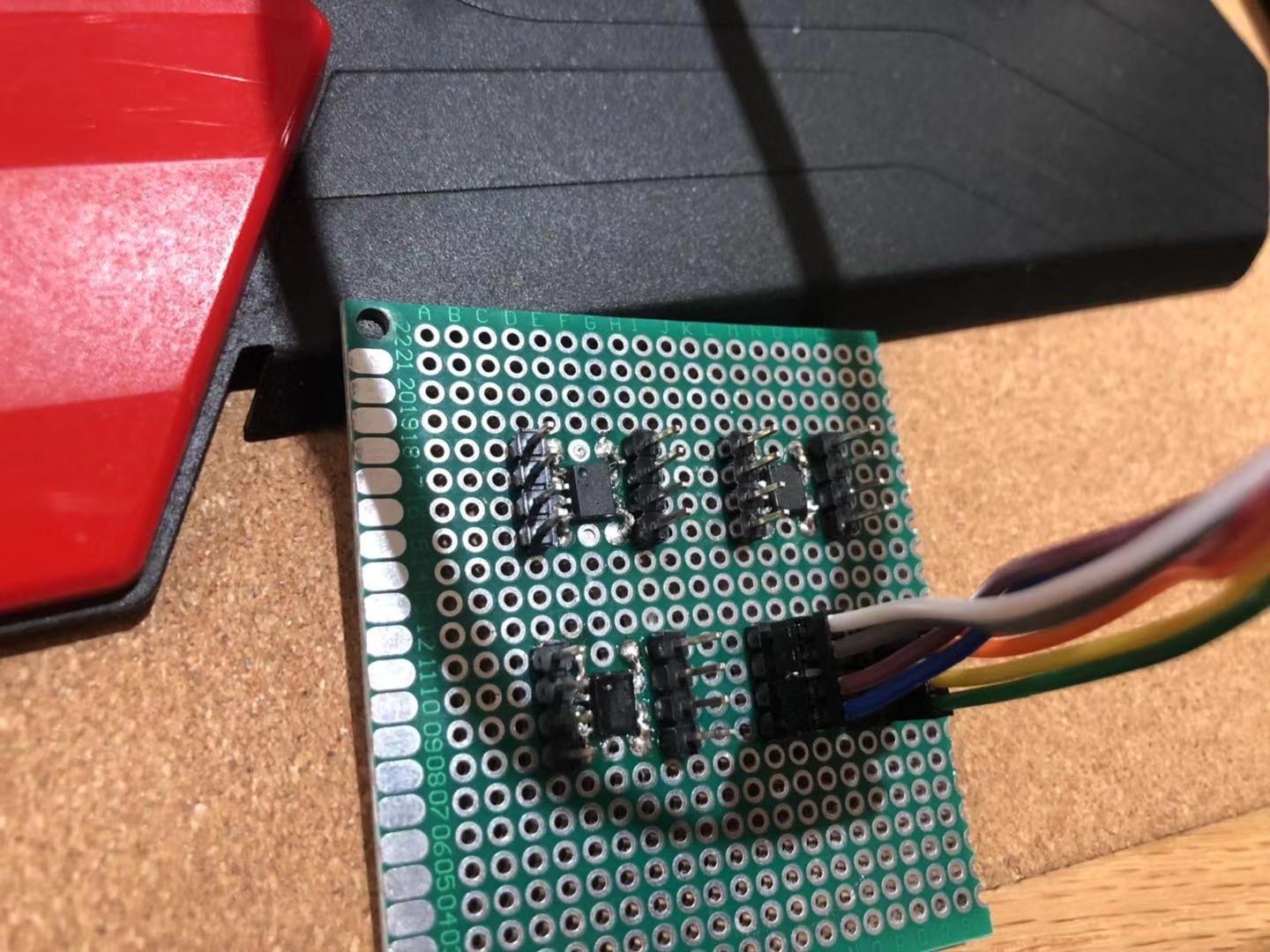
- WechatIMG146.jpeg (217.83 KiB) Viewed 19921 times
I was very frustrated, then I started looking for relevant information online and then saw this article.
I tried to connect to the SCLK pin of RAM using GPIO9, and GPIO9 will still warn the memory to detect the error.
Later I saw the video you connected to RAM. It took only 3 hours to solve the problem. Awesome!
Then I tried to shorten the DuPont wire and solder it directly to the SPI RAM pin. And I didn't use a 10K pull-up resistor. effective. I also wrote a program to detect the available memory size and found 4491944 bytes, which is so cool. Thank you for sharing and helping me solve this desperate problem! ! !
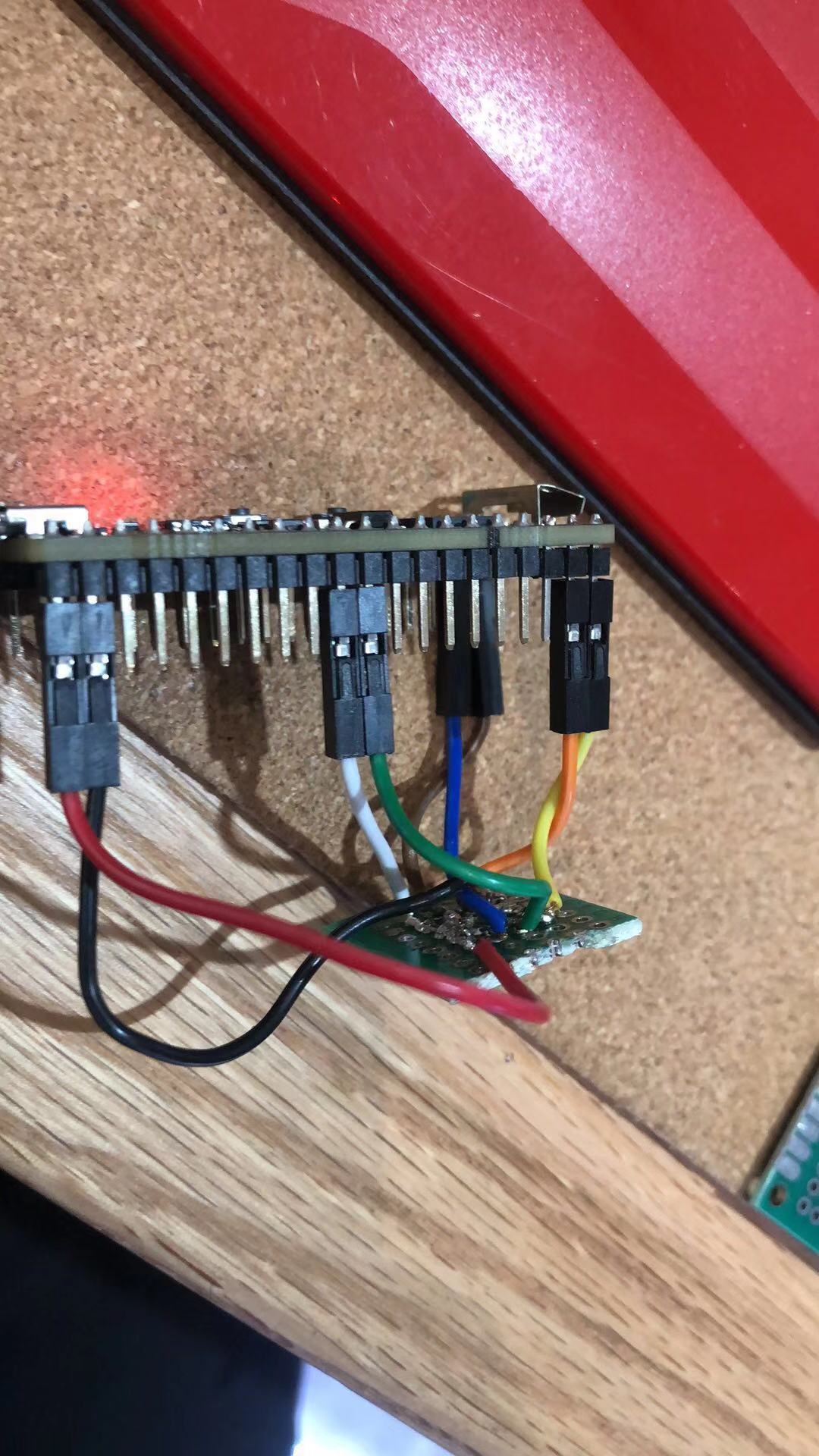
- WechatIMG147.jpeg (248.24 KiB) Viewed 19921 times
Later I tried to connect the SCLK pin to GPIO6 and GPIO10 and modified the program according to the hardware, but it didn't work. Then connect SCLK back to GPIO9 and run. I don't know why this is happening? Do you have the same problem?
Thank you for your unselfish sharing and wish you all the best! ! !

 you did it now.